

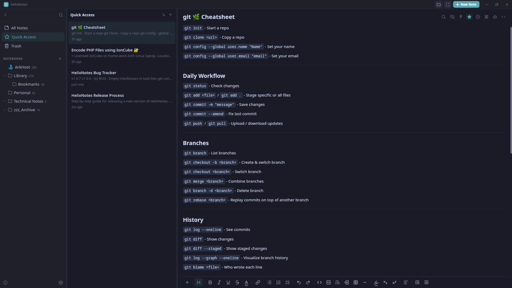
I built a note-taking app because the one I wanted didn’t exist. Clean UI, local .md files, no cloud, no account.
Built with Rust + Tauri 2.0 + SvelteKit. Full-text search powered by Tantivy. Graph view, AI writing tools (bring your own key), Obsidian import, version history.
Available for Linux (AppImage, APT, AUR), Windows, and macOS. Source: https://codeberg.org/ArkHost/HelixNotes
Me again. Last time tonight, I promise.
My favorite features so far, making the edit toolbar disappear in source mode and Focus mode. Quick access is also really useful.
One more thing I don’t like, it was adding a header to my edited notes.
Example:
---
id: "9242199e-992b-4c58-9b4f-85a6949d424d"
title: "Books"
tags: []
pinned: false
created: 2026-02-15T04:32:13.600656+00:00
modified: 2026-02-15T04:32:17.240423+00:00
---
This doesn’t look great in MacOS preview. This might be one of those things that it was simplest to just add this directly to the file rather than creating some kind of database or a bunch of dot files. Again, not a deal breaker for me. Would adding it to the bottom be possible instead?
Thank you.
Hi, not OP, but: that’s known as frontmatter, it’s somewhat widespread, and thus I suspect that it’s much more difficult to have it live at the end of your markdown files than in a separate file or db altogether - unless OP is already rolling their own markdown parser.
Interesting. Thank you for the info.
Really appreciate the detailed feedback.
You’re right about the Mac shortcuts - Cmd should replace Ctrl on macOS. That’s a bug, I’ll fix it.
As for the frontmatter - Jayjader is correct, it’s standard markdown frontmatter. It’s how HelixNotes tracks metadata without using a database or sidecar files. Moving it to the bottom would break compatibility with every other markdown tool that reads frontmatter. But I understand it’s not pretty in a plain preview - that’s the tradeoff for keeping everything in plain .md files with no hidden database.
Glad you’re enjoying it. Keep the feedback coming, this is exactly what helps improve the app.
Thank you for the explanation.
I will continue to use it and provide feedback. So far, really great.
I nearly take all my notes in markdown. I am always excited to try another open source markdown program.
HelixNotes is super polished.
Thanks!
Thanks, appreciate it!