

1·
16 minutes agoFixed in v1.1.0
Fixed in v1.1.0
Thanks for all the feedback everyone. Just shipped v1.1.0 based on what was reported here today:
Not like Typora, no. HelixNotes has a WYSIWYG editor and a source mode toggle, two separate views. Not inline markdown rendering.
You have both - the WYSIWYG editor and a way to switch to the Markdown editor.
AI is optional, disabled by default, and doesn’t even show in the UI unless you enable it. The app works fully offline with zero AI involvement.
Not at this moment. Which local model would you like to see as an additional option?
Thanks! No Patreon yet, but I’ll set something up. For now, the best support is feedback and bug reports.
Thanks, appreciate it!
The import dialog warns you to make a backup before running as it modifies files in place. That said, the frontmatter overwrite on just viewing a note is a valid bug. I’ll fix that, notes should only be modified when you actually edit them.
Appreciate the honest feedback, doesn’t come over negatively at all, this is exactly what helps improve the app.
HelixNotes isn’t trying to be a replacement for Obsidian. It was a replacement for Obsidian for me, but different people have different needs. Thanks for taking the time.
No, completely separate project. Just a coincidence in naming.
Great feedback.
If you end up trying it and want to contribute, open issues on Codeberg for what you’d like to see. Contributions are very welcome.
Really appreciate the detailed feedback.
You’re right about the Mac shortcuts - Cmd should replace Ctrl on macOS. That’s a bug, I’ll fix it.
As for the frontmatter - Jayjader is correct, it’s standard markdown frontmatter. It’s how HelixNotes tracks metadata without using a database or sidecar files. Moving it to the bottom would break compatibility with every other markdown tool that reads frontmatter. But I understand it’s not pretty in a plain preview - that’s the tradeoff for keeping everything in plain .md files with no hidden database.
Glad you’re enjoying it. Keep the feedback coming, this is exactly what helps improve the app.
Thanks! Latency was one of the main reasons I went with Tauri instead of Electron. HelixNotes launches instantly and stays light. Give it a try.
The name comes from the double helix. Structured but flexible, like how notes should be. Trilium is a solid project, but it stores notes in an SQLite database and runs on Electron. HelixNotes keeps everything as plain .md files and uses Tauri, so much lighter on resources.
It’s on the list. Flatpak packaging is coming.
Not at this stage. It’s something I’m considering but the priority is getting the core experience right first.

I looked at Logseq, it’s a great project. Main difference is HelixNotes focuses on a clean WYSIWYG experience out of the box rather than an outliner approach. Different workflows.
Different use case. HelixNotes is for people who want a clean, simple note-taking app that works out of the box - not a customizable text processing pipeline. If Vim snippets work for you, stick with that. Not every tool needs to be for everyone.
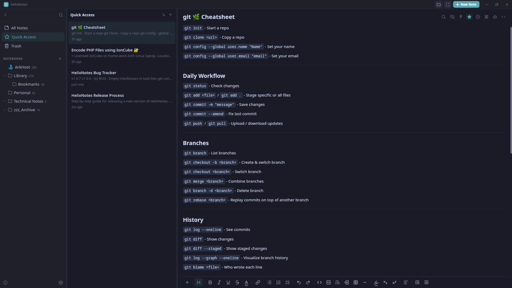
Mac Cmd shortcuts fixed in v1.1.0, just shipped. Thanks for reporting it.