

14·
5 days agoStraight to jail
Straight to jail
I use bitwarden send, all my devices already have access to my password database and i can save and download files or text though it. You can also use the URL to let other devices access it if you want.

Small correction:
Like, copyfail and dirtyfrag would punch through containers, but also punch through SELinux.
User namespaces and optionally limited capabilities severely limit the usefulness of both of these exploits. K8s containers with user namespaces or rootless podman prevent host-root and only allow elevating to container root (host uid != 0) and cross container cache pollution (jump to other containers that use the same base image?)
It’s an addon that you enable/install inside Technitium, you only need to configure it in the Admin ui.
I used dawarich but switched to geopulse because dawarich broke too often on updates. I only rarely use it but it works well enough.
So now you have three options that you can compare, good luck?
all my back ups are what they should be
Are you sure? While the cloud backups may not affect you the exclusions might, afaict no one even knows what exactly is excluded.
From the link:
This annoyed me. Firstly I needed that folder and Backblaze had let me down. Secondly within the Backblaze preferences I could find no way to re-enable this. In fact looking at the list of exclusions I could find no mention of .git whatsoever.
Which strongly implies that there might be other important folders that aren’t backed up. (Without .git inside a git folder it is no longer a git repository)
I don’t use backblaze but from the outside it looks like they’re cutting costs by worsening the backups to reduce storage usage.
https://rareese.com/posts/backblaze
Backblaze quietly stopped backing up .git, mounted remote storage and maybe more without showing the user what they’ve stopped backing up?
Dread it. Run from it. Enshitification arrives all the same.
Use a VPN, it’s not ideal but it’s secure.
When does your Server actually pull the repo though?
I have linkwarden set up for this.
On Android I share to the linkwarden app to save, on pc i use the Firefox addon.
Sure it’s fragmented but I’m already used to doing things different between mobile and pc anyways.
because all the other programs, protocol are working fine.
With the shown firewall configuration nothing but NTP should work? You’re dropping outgoing packets by default.
Update your nftables rulefile or use nft commands to update your firewall to the following:
# extract
chain OUT {
    type filter hook output priority 0; policy drop;
    udp dport 123 accept

    limit rate 3/second log prefix "Nftables Blocked: OUT: "
}

chain IN {
    type filter hook input priority 0; policy drop;
    ct state established, related accept

    limit rate 3/second log prefix "Nftables Blocked: IN: "
}
Blocked pakets will show up in the kernel log (dmesg/journalcl)
If you want more information on why it is blocked then enable nftrace for those packets
nft add rule inet/ip/ip6 tablename OUT udp dport 123 meta nftrace set 1
nft add rule inet/ip/ip6 tablename IN udp dport 123 meta nftrace set 1
nft monitor trace
Or
nft add rule inet/ip/ip6 tablename OUT meta nftrace set 1
Or maybe even
nft add rule inet/ip/ip6 tablename PREROUTING udp dport 123 meta nftrace set 1
Additionally you can use tcpdump -i <interface> to show network packets before they enter the firewall, there you should be able to tell what it’s a trying to do.
Successfully merging this pull request may close these issues.
None yet
Pro tip: If you’re using openwrt or other managed network components don’t forget to automatically back those up too. I almost had to reset my openwrt router and having to reconfigure that from scratch sucks.
If logging is down and there’s no one around to log it, is it really down?
That won’t work in most cases, all https traffic isn’t cached unless you mitm https which is a bad idea and not worth it.
Only cache updates those are worth it and most have a caching server option.
Infrastructure diagram? No! In this homelab we refer to the infrastructure hyperdodecahedron.
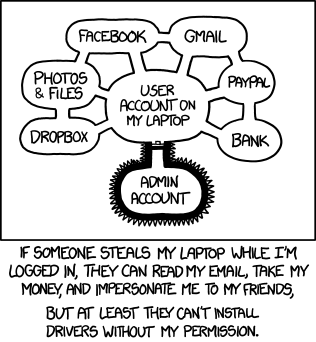
Yeah
MicrosoftCanonical is too quick to go all-in on new things to the depriment of the OS.