

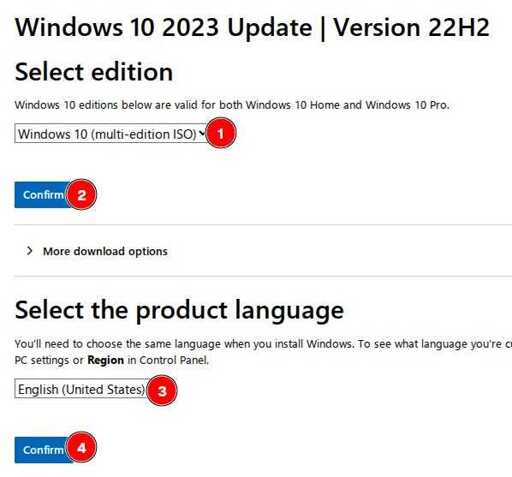
Half this guide is disabling unwanted features that come as a result of choosing Windows 10 home.
Why not run LTSC 2021and then MAS instead?
As a benefit you get access to group policy, which I would argue is not an unwanted feature if you want greater control over the OS. Lots of options are locked there.
MAS?
https://github.com/massgravel/Microsoft-Activation-Scripts
You could also pay for a license instead, but considering the guide doesn’t, this will make it equivalent.
Doesn’t that do graphics in software? I suppose for optimal software you’d need hardware acceleration for that, or does libvirtd pass that through automatically these days?
honestly, i don’t know. if you’re talking about virtIO with 3d acceleration, i can’t make it function. if you’re talking about gpu passthrough by adding a pci hardware, that’s an option that i have not tried yet.
Hmmh. I mean I mostly play old games and they tend to work better in Wine/Proton anyway, so I don’t have a virtualized Windows. I ran into some annoyances with other operating systems though, since most mundane desktop environments do lavish graphics these days. Or I’d randomly watch a Youtube video in a guest system and that’d use a lot of CPU with a recent codec and full HD or more… I guess all of this really depends on what people do with their virtualized machines, though.
Virtio works jisy fine.
how did you configure it? iirc vgpus in Linux are pretty bad, virgl is pretty good but it doesn’t have a guest driver for windows
The comment I’m replying to mentioned other OSs and non gaming functions. For those purposes Virtio requires almost no configuration to work with acceleration and works more than well enough.
That said, vietio drivers do in fact exist for windows.
shit they exist?? tysm!
This is cool but unfortunately, I probably wont be able to use this. Right now, the only use for a VM I have is for games that I can’t get working in either Linux or Windows 10 and I’d need to run them in an older version of Windows. And seeing that this guide was only made for Windows 10, I’m not sure if there’s a single game I’d be able to use this for.
And yes, I am aware of both PCem and it’s forks, like 86Box. I have tried these and I was able to run some games in them but I’m having a very specific issue with one game. While I have no idea if that game would actually run well on my computer or even emulate properly, I can’t test the game because it’s ISO file is over 4 GB and I’m currently not aware of any version or fork of PCem that supports ISO files larger than 2 GB.



