
- 12 Posts
- 29 Comments
Hardware
A mac mini is probably overkill for what you want to do. We are talking standard blu-ray after all, meaning your videos are going to be limited to 720p. Most hardware will have no problem dealing with that. The cheapest solution that’s fit for purpose is a refurbished thin client. They aren’t powerful or anything, but you don’t need powerful. You need quiet (passively cooled) and low on energy consumption.
Thin clients can be had on eBay for less than 30 Franks.
Software
- Kodi: originally known as the XBox Media Center (XBMC), a TV friendly menu to pick the movie or TV show you want to watch
- LibreElec: A Linux distro, that preconfigures and auto starts Kodi, not the best choice if you plan to use anything besides Kodi
- Jellyfin: A media server. If you got multiple TVs you might want to look into this one. It essentially let’s you operate your own Netflix, complete with a web frontend and apps for phones and TVs, integrates with Kodi
It’s a term from city planing. Essentialy places that are not your place of work or someone’s home.
Here is a more in depth explainer by NotJustBikes: https://youtu.be/VvdQ381K5xg
 4·2 months ago
That’s why Ultramarine exists. It’s just Fedora with RPM-Fusion (the non-free repo) preconfigured and the Nvidia drivers preinstalled.
No Plasma Mobile is not just a mobile mode for Plasma, but it’s own thing(even if it shares a lot of tech with Plasma). You therefore need to choose a distro that explicitly supports it.
Here is a list: https://plasma-mobile.org/get/
The closest you are going to get to Mint is Debian
Looks to me like you are trying to update via fwupd. While this should work via GNOME Software, you can also use the the terminal to do this.
The command is
fwupdmgr update
Mobian has an amd64 image available. If you are looking for a “tablet” tablet experience rather than just desktop gnome with an on screen keyboard then that is going to be your best bet.
In terms of DE I would stay with GTK enviroments because GNOME circle has created a pretty extensive environment of apps that feel native there. Both PHOSH and GNOME mobile offer basically the sane experience so you should try them both and see, which you like more in the details
Edit: here is the install guide: https://wiki.debian.org/Mobian/x86
If you’re on Android then you can use Termux (via F-droid) to get ssh capabilities. I think there is also a different iOS app, but I’m no expert on that OS, so I can’t tell you its name. If you have a smart phone then you might have a ssh capable system after all
It’s actually not. It’s open core (a.k.a. 80% open source with its AGPL licenced community edition and proprietary with the enterprise edition that adds a bunch of stuff on top)
I never had a problem with LibreOffice. But I also never encountered a situation at school where “advanced” MS office features where required. So, pure luck, I guess.
That being said, LO is not the only the only office suite for Linux. All of these have better MS Office support than LO:
- OnlyOffice: for the most part web based, but there is also a desktop app that wraps the web app into a local container. Free & open source, integrates with nextcloud.
- SoftMaker Office: Proprietary, paid solution, that advertises with having the best MS compatibility on the market. Based in Germany. Usually €99, currently €70 (or a €30 annual subscription)
- FreeOffice: Free but proprietary. Feature reduced version of SoftMaker Office (Comparison)
- WPS Office: Free but proprietary. Chinese, I had some problems with it when I last tried it to install years ago. Maybe they fixed them since, IDK

The best part of the blogpost: They are going to invest even more next year.
Last week, the budget committee of the Bundestag decided to increase the Sovereign Tech Fund’s allocation by €4 million for next year. We’re honored and thankful for the German Parliament’s recognition of the importance of open source technologies, and for their continued trust in our work.
I would probably go with bluefin. KDE is great, I myself use aurora on one of my devices, but it can also be kinda fiddley with all of it’s options.
The user has never even used a PC and therefore won’t profit from the familiarity that KDE’s default desktop layout provides. Gnome on the other hand offers a more simplified experience with few options and big icons. All of that might be an asset here. You can use menulibre to hide menu entries from the menu and use the official documentation to remove command line access: https://help.gnome.org/admin/system-admin-guide/stable/lockdown-single-app-mode.html.en
Plus it’s still atomic which I actually think is helpful here. For once all the important system stuff is read only. Secondly if one manages to screw something up you can just rebase.

 10·2 years ago
That they leased
 12·2 years ago
A UK petition is in the works. It might take some time until that goes up because your election a couple of months ago reset a lot of work, but it’s comming
Yes there was one but the Tories didn’t have anything to do with it closing, at least not directly. If an election happens all open petitions are closed as a matter of process, because “it’s a new parliament”. And then you need to resubmit.
A UK petition is in the works. But it might take a month or two until that goes online.
I considered that. Unfortunately silverblue doesn’t do live systems and aurora therefore doesn’t either. So a VM is the only way of trying it out. OP stated that they have someone to help with the actual installation so I left the whole create install medium for bare metal install out intentionally since I assume this person will be capable of helping with that.
Also small Markdown help: If you use dashes lemmy will automatically format bulletpoints correctly. You can’t use •s for it. Doesn’t take anything away from your comment, etcher is still the best tool to create a bootable usb drive, but for the future consider using dashes.
You can try Linux out without installing it to get a feel for it before you make the jump. Set a weekend aside (or at least a couple of hours) to test drive a Linux distro and check if it is your cup of tea.
This is one way of doing this:
- Install Virtual Box on your (Widows) PC
- head over to https://getaurora.dev/ and download the latest iso
- In virtualbox create a new VM
- set the OS Type to fedora (64 bit)
- after that you can keep all the standard settings, just be aware that performance is not going to be representative of an actual install
- Then select the newly created VM and open the settings panel
- here you go to “Storage” and click on the slot under “Controler: IDE” labeled “empty”
- click on the CD symbol on the right side of the window, in line with “optical drive” and select “choose a disk file”
- pick the iso file you downloaded in step 2
- close the settings window and start the VM
- go through the installation wizard to install Aurora OS in your Virtual Machine
- Profit
I know that these instructions can seem daunting but it is easier than it reads, I promise.
Why Aurora OS
Aurora OS is based on Fedora Silverblue meaning that it is what is known as a immutable distro. That in turn means that it’s harder to mess stuff up and break your install. It also means that some things are harder to achieve. But I also think that you are probably not interested in the hard stuff anyway.
Aurora uses the KDE Plasma Desktop, the same desktop used by Valve on the Steamdeck. It has a familiar Windows like layout by default but also allows you to customise it like crazy to fit your particular need (whatever that may be).
Aurora flatpak as it’s app format. To see what kind of software is available for this distro you can check flathub.org . It’s not going to be as much software as Linux Mint for example (Mint uses flatpak and deb), but everything the average user needs should be there.
Here is the quote I paraphrased in my comment (I’m sure I got something wrong):
The immutable file system from Fedora Silverblue will be very helpful in implementing our anti cheat system but it is not our anti cheat system. We are planning to generate signatures for each version of our OS (easy with Silverblue) as well as all the DLLs we install dynamically. Basically using our SDK, a game developer will be able to obtain a signature of the current config on the device then call our backend to verify that this is a genuine Playtron version.





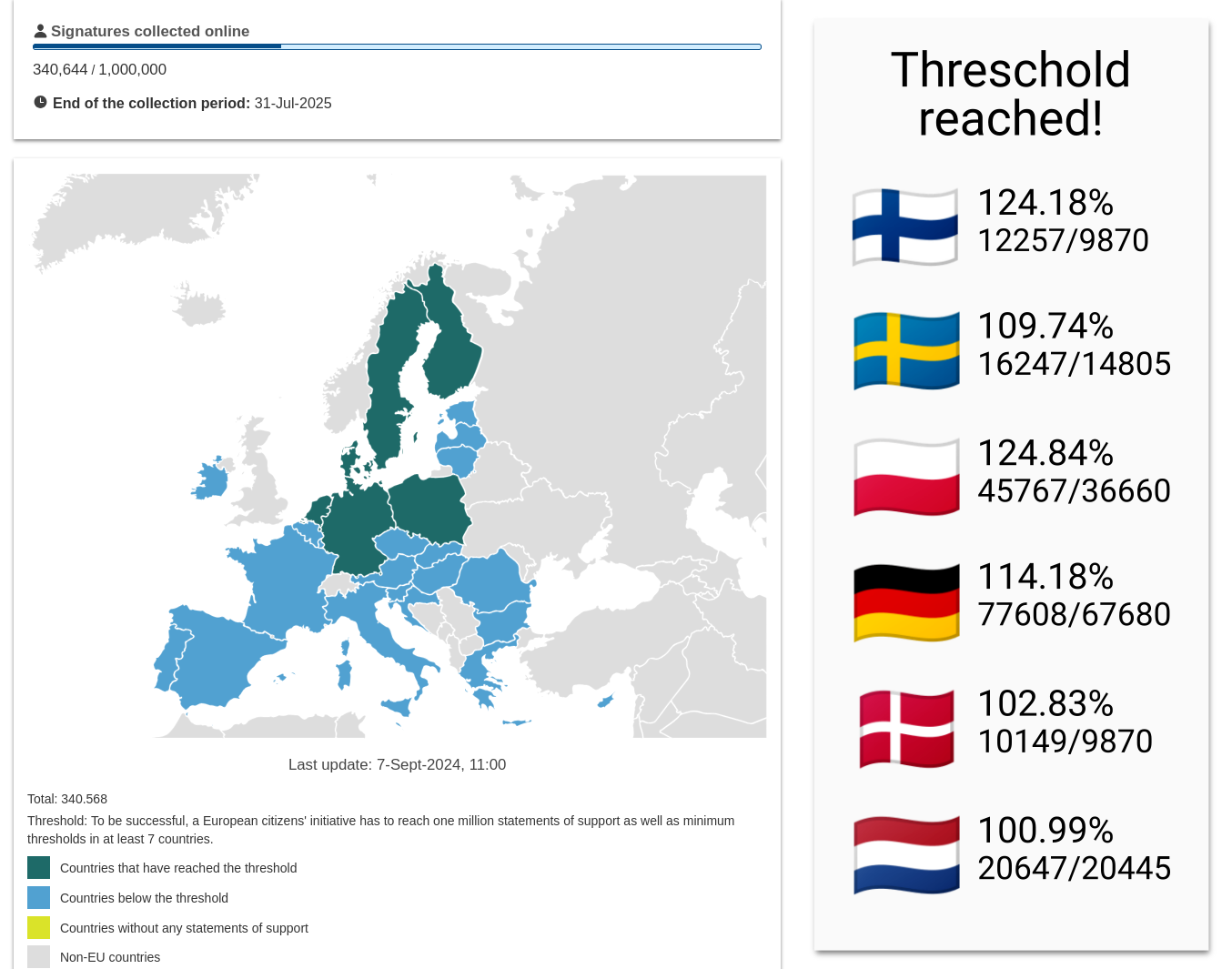
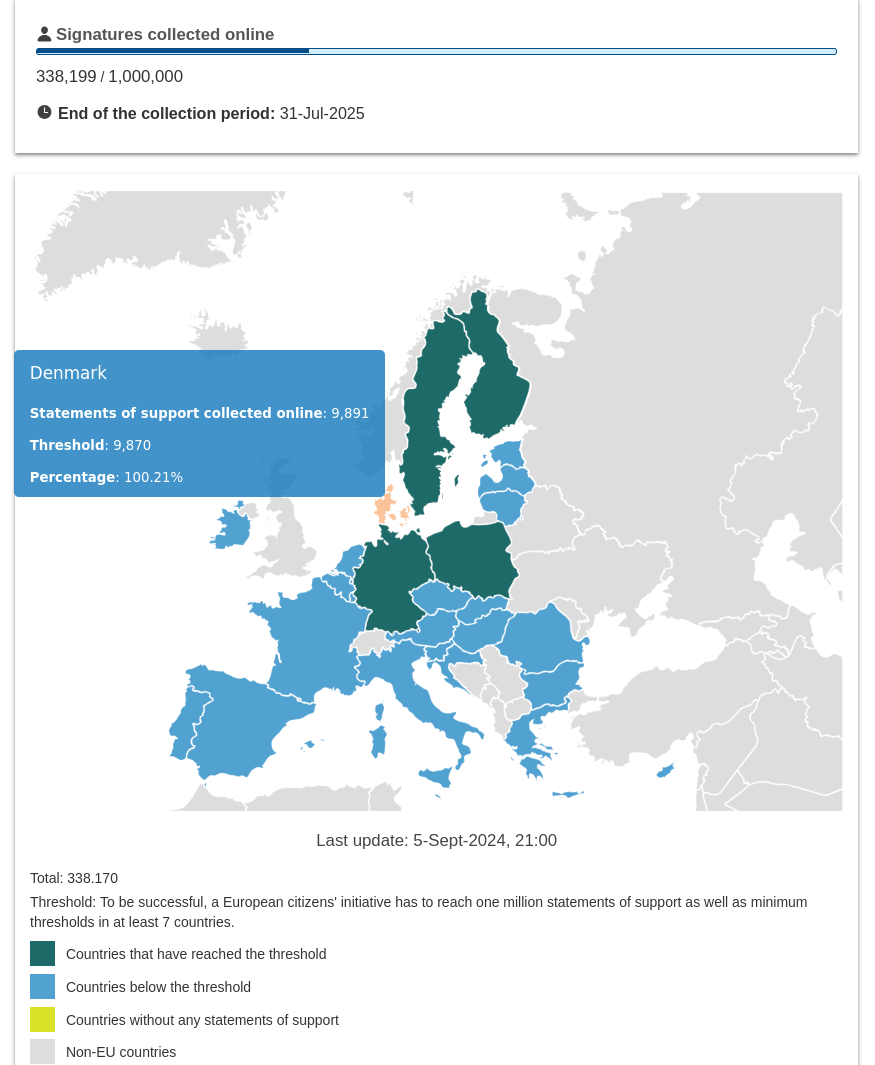
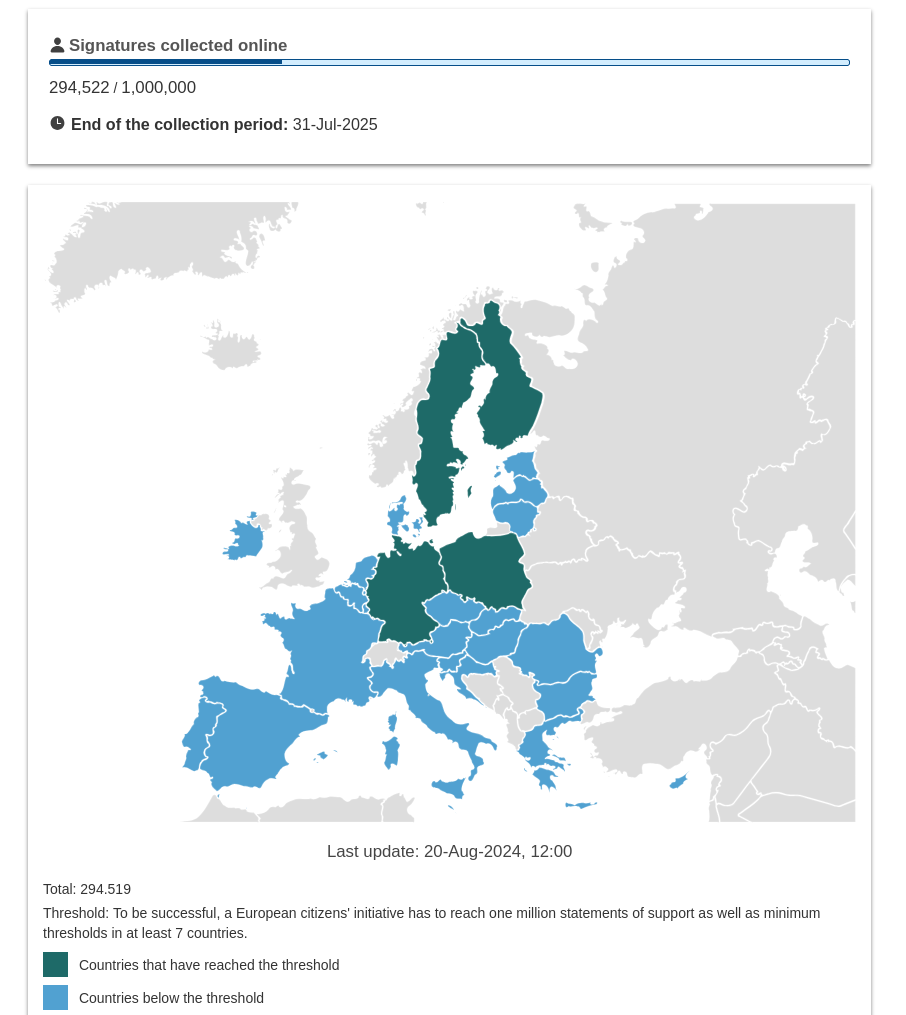
You could use owncast as a twitch alternative: https://owncast.online/
Some Matrix clients such as comment also support screen sharing (for a more discord like experience). But I haven’t used it myself, so I can’t speak to its quality or reliability: https://commet.chat/