


I’m proud to share major development updates for XPipe, a connection hub that allows you to access your entire server infrastructure from your local desktop. It can make your life easier when working with any kind of servers by eliminating many of the tedious tasks that come up when interacting with remote systems, either from the terminal or from a graphical interface.
It comes with integrations for SSH, docker and other containers, various hypervisors, cloud providers, and more without requiring setup on your remote systems. You can also keep using your favourite text/code editors, terminals, password managers, shells, command-line tools, and more with it.

It has been half a year since I last posted here, so there are a lot of improvements that were implemented since then:
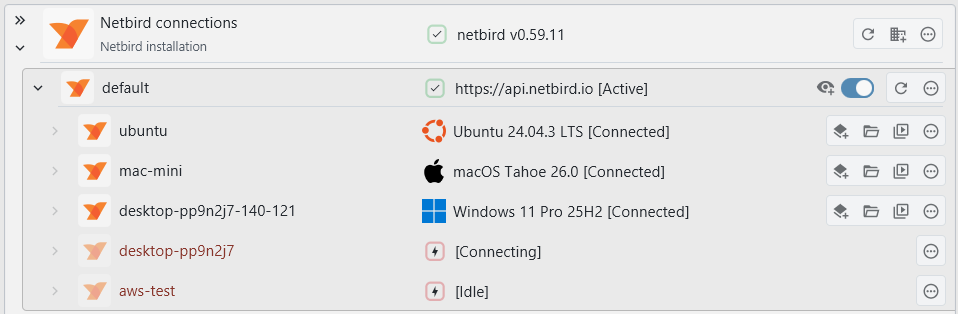
Netbird support
You can now list and connect to devices in your Netbird network. This works via SSH and your locally installed netbird command-line client:
Legacy system support
Up until now, the testing was done on relatively up-to-date machines that were not considered EOL. However, in practice, legacy systems are still used. The handling of older Unix-based systems has been greatly improved, especially when they did not ship with GNU command-line tools.
As long as you can connect to a system via SSH somehow, it should work now regardless of how old the system is. If you’re into retrocomputing, feel free to give this a try.


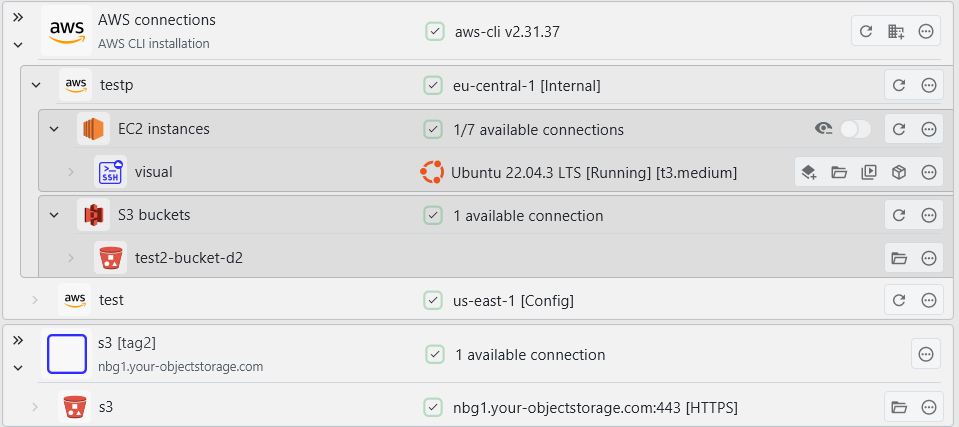
AWS support
You can now connect to your AWS systems from within XPipe. Currently, EC2 systems and S3 buckets are supported, also including support for SSM. The integration works on top of the AWS CLI. The usage of the AWS CLI allows the integration to work very flexibly on any existing CLI setup if you already use the CLI. You can use any IAM access keys and authentication methods with it.
SSH keygen
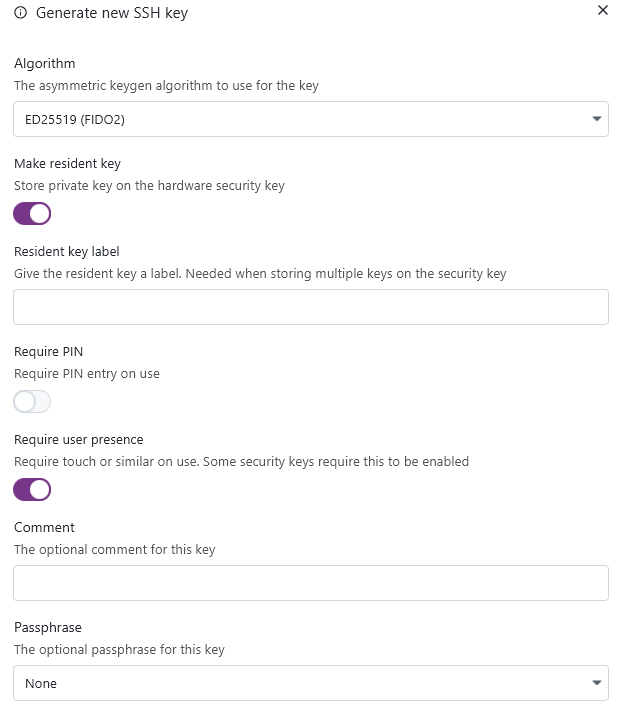
You can now generate new SSH keys from within XPipe. The keys are generated via the installed OpenSSH ssh-keygen CLI tool, so you can be assured that the keys are generated in a cryptographically secure manner. This keygen right now supports RSA, ED25519, and ED25519 + FIDO2:
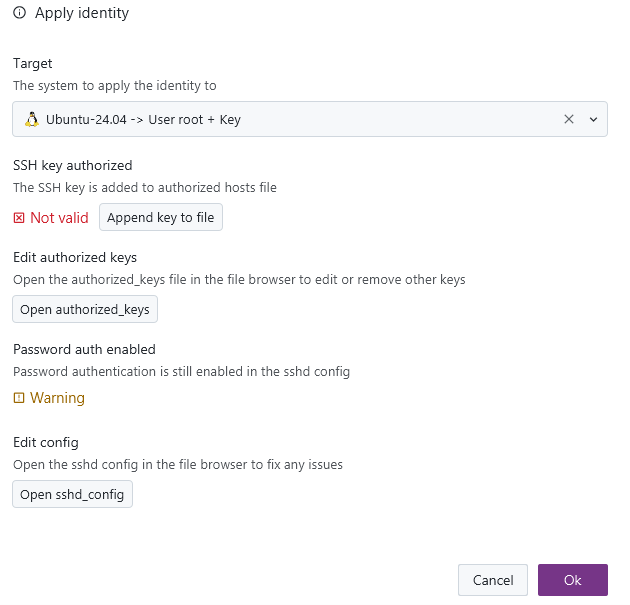
Keys of identities can now also be automatically applied to systems, allowing you to perform a quick key rotation when needed:

The process of changing the authentication configuration of a system is not always one simple step. So the dialog is a comprehensive overview of what is needed to apply a certain identity to a remote system, with various quick-action buttons and notes. This gives you still full manual control of what should be done and an overview of what is required prior to doing so.
Network scan
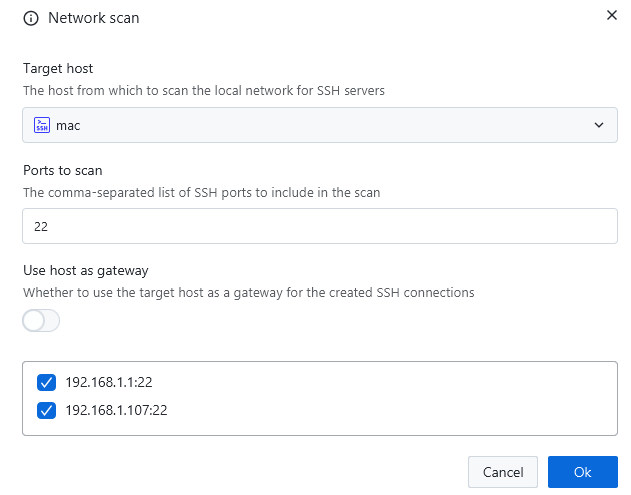
There is now the option to automatically search the local network for any listening SSH/VNC/RDP servers and add them automatically as new connections. This also works for remote systems and their networks:
VNC
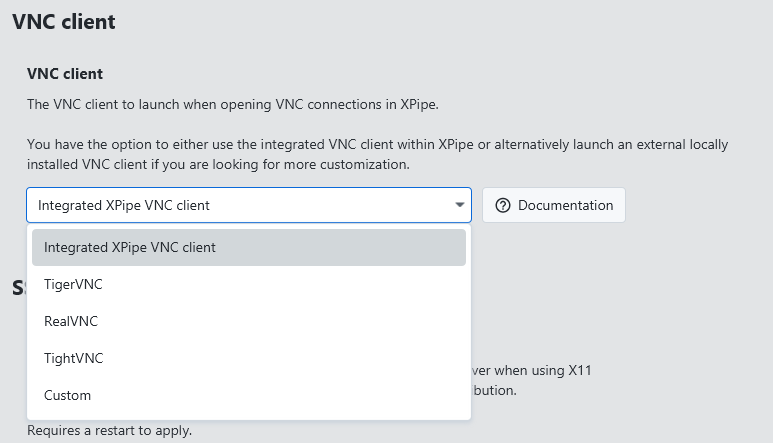
Up until now, the internal VNC implementation of XPipe did a somewhat acceptable job for most connections. However, it is not able to match dedicated VNC clients when it comes to more advanced features and authentication methods. There’s simply not the development capacity to maintain all of these additional VNC features. For this reason, there is now support to also use an external VNC client with XPipe, just as with any other tool integrations:
Split terminals
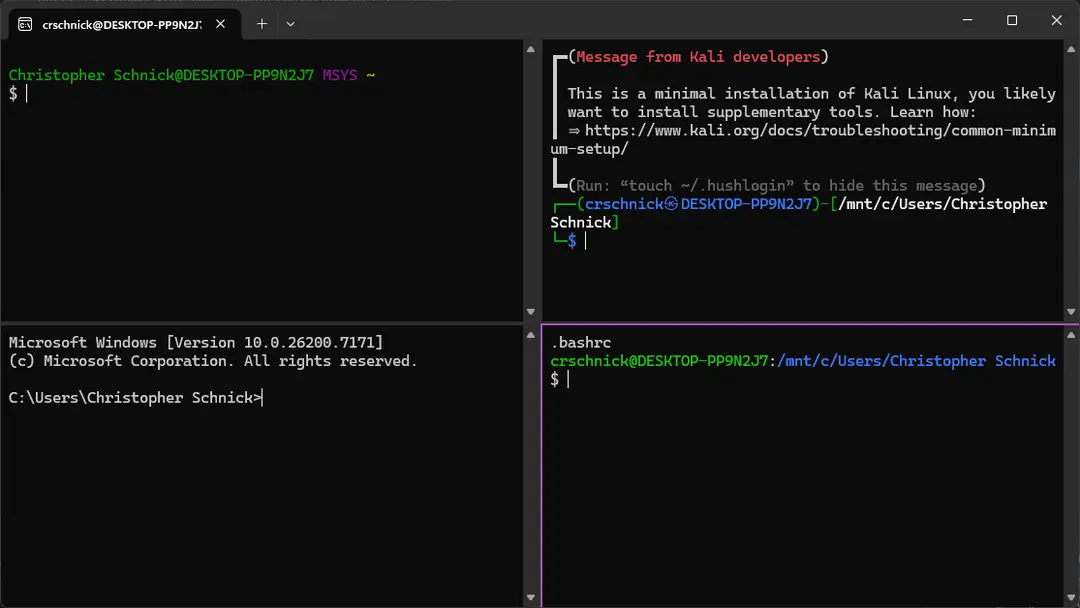
There is now a new batch action to open multiple systems in a split terminal pane instead of individual tabs. This action is only supported for terminals that support this, which currently includes: Windows Terminal, Kitty, and WezTerm. In addition, this is also supported when using any other terminal and a terminal multiplexer like tmux or zellij.

This allows you to also use a feature like broadcast mode of your terminal to type one command into multiple terminal panes at the same time.
Tags
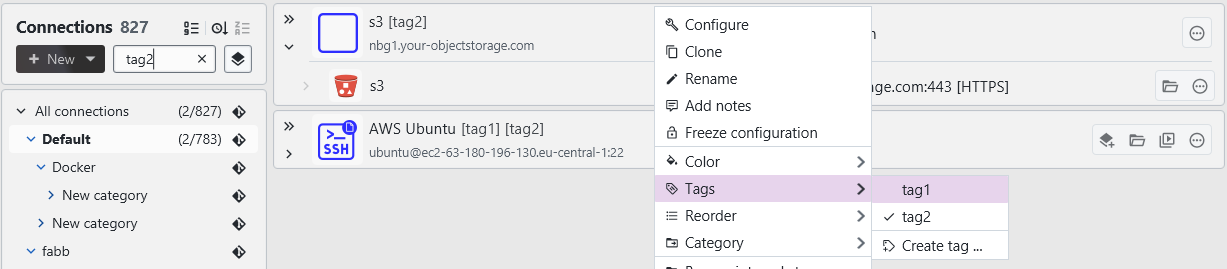
You can now create and add tags to connection entries. This allows you to have a more structured workflow when filtering individual connections.
Other
- Add support for flatpak variants of various editors and terminals
- The nixpkg package now also supports macOS and has been reworked as a flake
- Add support for nushell
- Add support for xonsh
- Several fixes to be able to run the application in the Android Linux Terminal app without issues
- The entire interface has been reworked to better work with screen readers and other accessibility tools
- Various many other small improvements
- Many performance optimizations
- A lot of bug fixes across the board
A note on the open-source model
Since it has come up a few times, in addition to the note in the git repository, I would like to clarify that XPipe is not fully FOSS software. The core that you can find on GitHub is Apache 2.0 licensed, but the distribution you download ships with closed-source extensions. There’s also a licensing system in place with limitations on what kind of systems you can connect to in the community edition as I am trying to make a living out of this. I understand that this is a deal-breaker for some, so I wanted to give a heads-up.
Outlook
If this project sounds interesting to you, you can check it out on GitHub, visit the Website, or check out the Docs for more information.
Enjoy!
Konsole also supports split panes, support would be awesome if it isn’t in already.
I tested with konsole, sadly it does not support opening the split panes with predefined commands from the CLI.
my collegues pay $$$ more apps that can do this and you should consider it; it reads like a shit ton of work.
Seems very cool!
Now that I’ve seen this I’d really like something like this but to manage HPC queue managers like slurm and the such remotely.