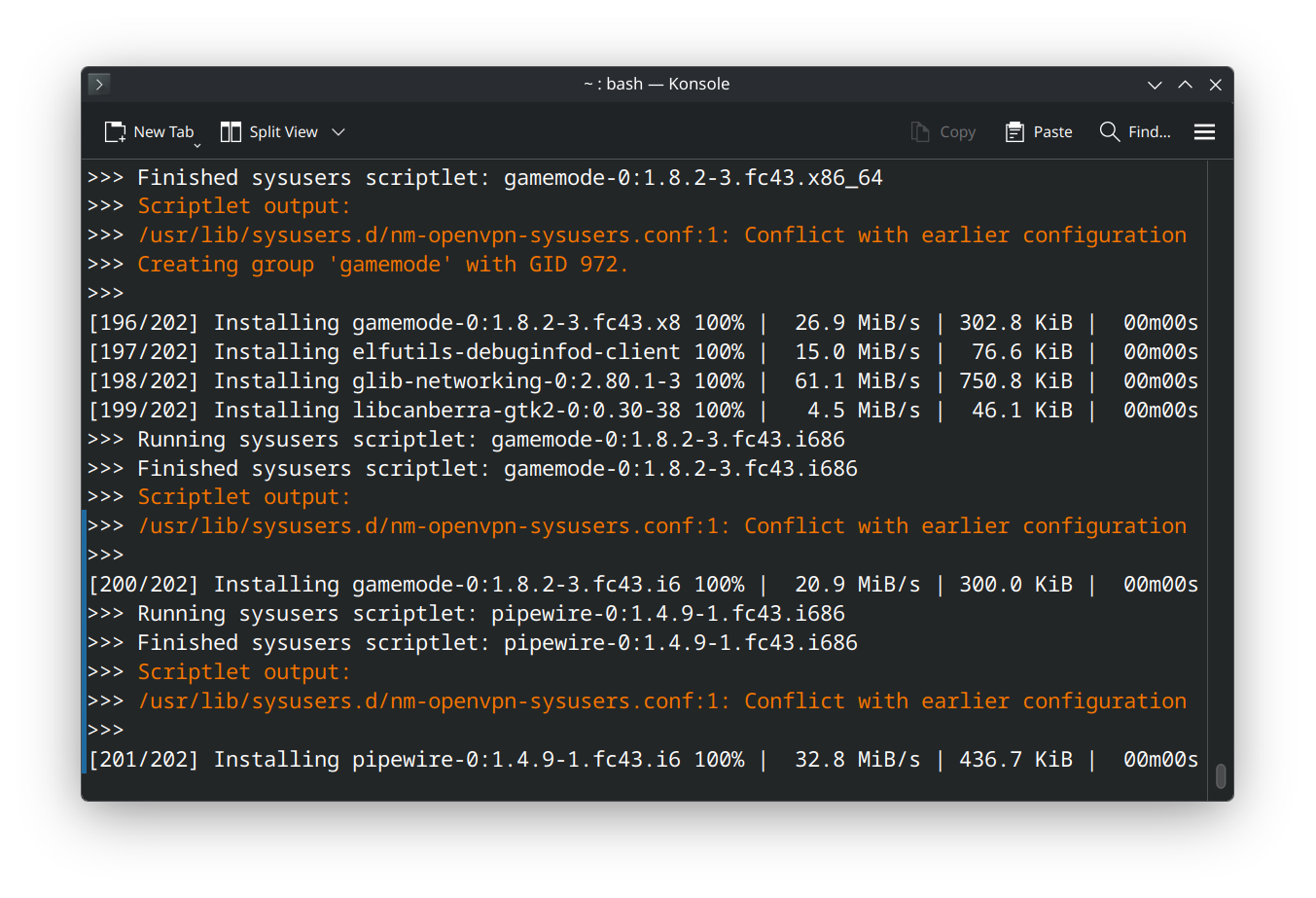
(I am a beginner) So I recently installed a fresh version of Fedora KDE Plasma after switching from GNOME Fedora because my understanding is that gaming is a bit better supported with KDE. (I switched because Cyberpunk wouldnt let me enable HDR even though it was on in GNOME settings and am on the journey of using gamescope and all that with this KDE install)
So the first thing I noticed is Discover absolutely WILL NOT let me download RPM versions of anything Flathub only even though I do have all third party repositories enabled. On GNOME I could just toggle a switch right on the software page to select which version of an application I wanted to install but no such luck here which is a bit of a bummer.
Normally I would use flatpaks but Steams flatpak requires me changing the udev rules for input and I dont think Im ready for all that quite yet so wanted the RPM version which I installed using the official fedora documentation to do so (https://docs.fedoraproject.org/en-US/gaming/proton/) and I did all of that and it did install however I encountered the errors in the pictures above and my questions are:
- Can I just ignore this with no issues to my system?
and
- Is this somehow related to KDE not showing me third party repository options?
Yeah, don’t sweat it. It’s just the system saying “Hey, I already made this thing you’re asking me to make again.” Your install is fine, nothing’s broken.
As for KDE Discover not showing you RPMs—that’s just KDE being stubborn. GNOME Software is way better at letting you pick between Flatpak and RPM. On KDE, Discover kinda pushes Flatpaks by default like a picky friend who only orders the “house special.” It’s a totally separate issue from that warning.
If you want the RPM version of something, just crack open the terminal and run:
sudo dnf install steamWay faster, way fewer clicks. Discover’s nice for browsing, but for gaming stuff, terminal or DNF are your best buds.
So yeah—warning = ignore. RPMs not showing = KDE being KDE. You’re all good 👍
Thank you!
it looks like /usr/lib/sysusers.d/rpm-openvpn-sysuser.conf has some customizations made to it and if you don’t know why, it warrants looking into it.
these are warning messages, so your packages probably installed fine, but it would do that part that touched the file.
I think it may be because I had installed the steam flatpak beforehand I did doa full delete of it but maybe something in this file didn’t get cleared?
I’m definitely not the most experienced Linux user yet so I don’t even really know what I would be looking for that would be suspicious or not correct in that file
in your shoes: i would take a look at the file and delete it if it’s empty or if you don’t have a need for openvpn.
be warned, though, that openvpn might be a dependency for something else; so it may be smarter to rename it and see what breaks. (then restore it if it turns out to break something needful).